Welcome!

By registering with us, you'll be able to discuss, share and private message with other members of our community.

Sign up now!
RuneMate will permanently shut down on August 7, 2026
due to events outside our control. You can continue using RuneMate until this date after which it will no longer be available. Thank you to everyone that contributed to RuneMate's success and to the community for the opportunity to serve you all these years.

  • Learn about RuneMate Vault and how its zero knowledge local encryption already protects your sensitive information.
  • Edit or delete your RuneMate account from your Account Settings.
  • All account upgrade subscriptions have been cancelled. No action required.

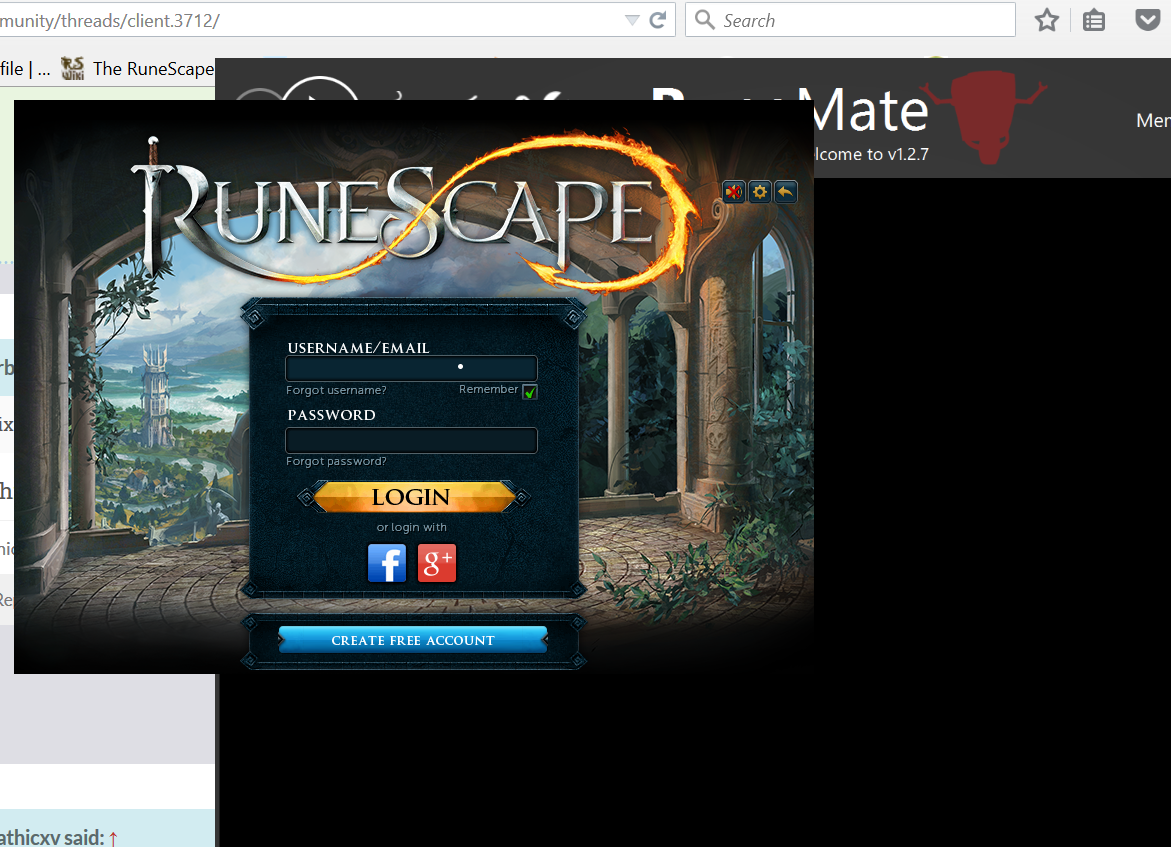
Resolved Game window is clipped to the outside of the client.

Mod Automation
Joined
Jul 26, 2013
Messages
3,121
I don't think that is the same issue as the one the OP is describing. Can you provide more information and/or a screenshot @prlover100?
 
Joined
Jun 20, 2015
Messages
34
5BtzaBX.png

 
@Arbiter @Cloud
 
Joined
Jun 20, 2015
Messages
34
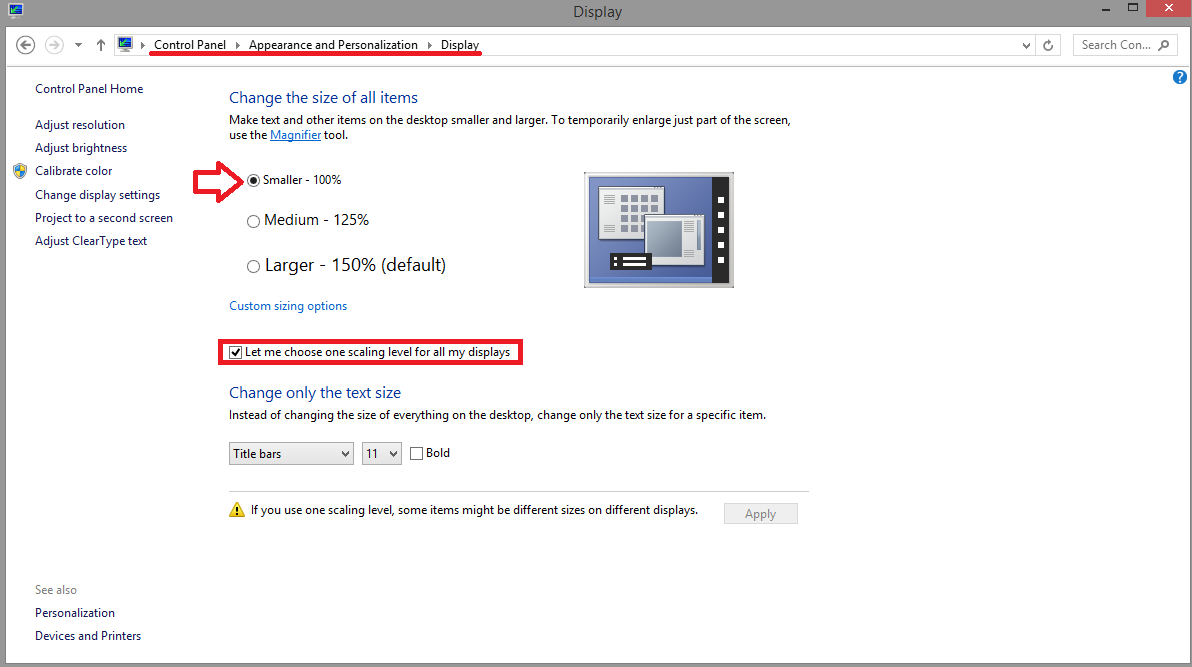
This is literally all I did. Relevant for Windows 8.1 only.

6IDHHRz.png

 
Went to Display > check box > set to smaller > fixed.
 
Joined
Jun 20, 2015
Messages
279
oh yes @Arbiter can't believe we didn't think of that! I used to do that before for other DPI related issues. boom bang bang! Thanks OP! :D
 
But then again...the window will be small af :( So I downscaled to 1080p with those settings, and all is good :)
 
Joined
Jun 20, 2015
Messages
34
Yeah, I eventually changed it to Medium (125%) and it is just like before the update. :D
 
Top