


- Joined
- Aug 23, 2015
- Messages
- 1,970
- Thread Author
- #1
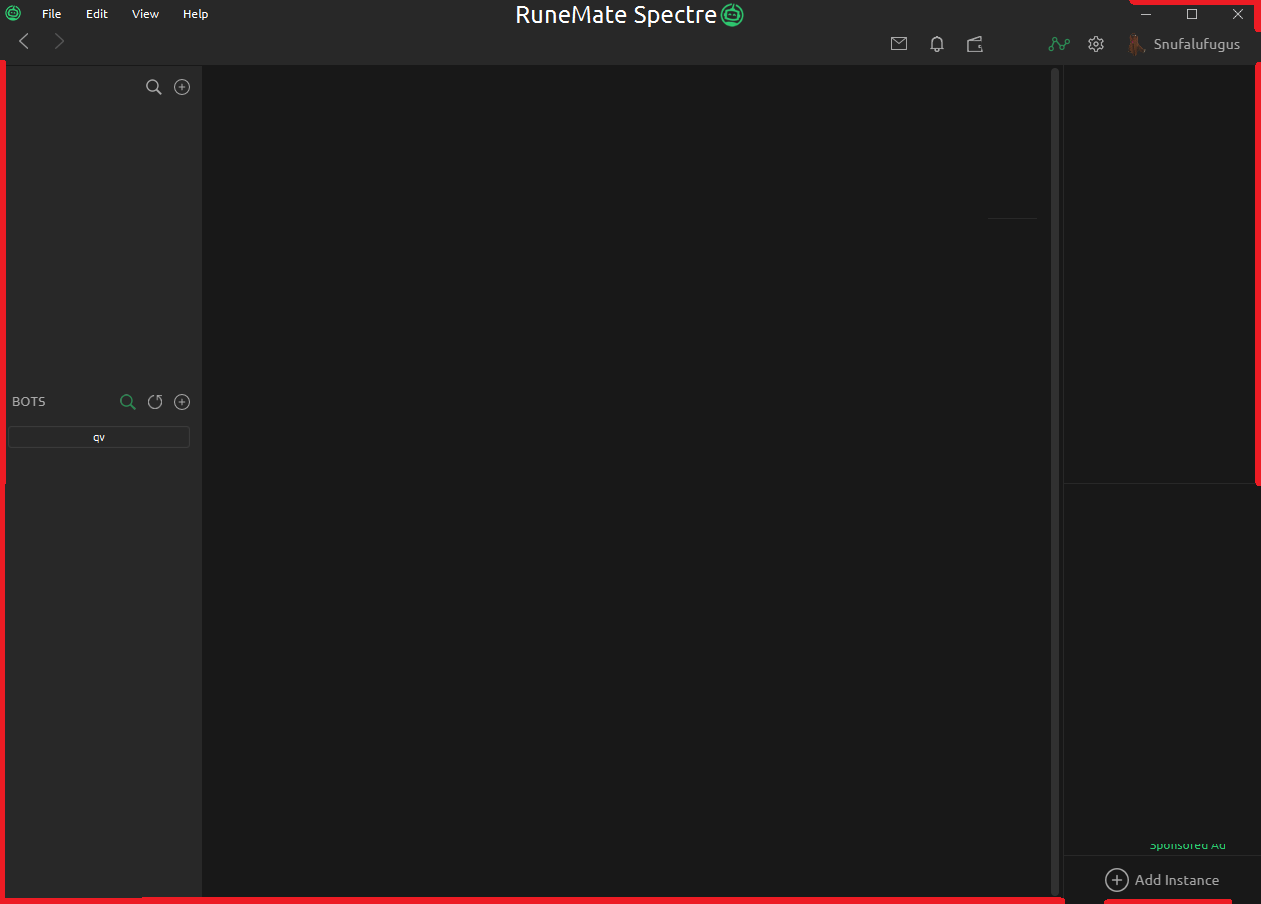
- Cannot resize anywhere there is a red line
- You can technically resize in the upper right, but cannot do so without also clicking those buttons
By registering with us, you'll be able to discuss, share and private message with other members of our community.
Sign up now!
I believe you, but I've never had it happen to me. Probably worth making a dedicated thread; that's a huge issue.On the subject of resizing, also worth mentioning that the client crashes a lot when doing it.

Why? Every program I can think of allows resizing from every edge except Runemate.Really you should only be able to resize on the right and bottom edges of the client

runemate isWhy? Every program I can think of allows resizing from every edge except Runemate.
Why? Every program I can think of allows resizing from every edge except Runemate.
Oh? Why don't you elaborate on how 'runemate is shite mate'.runemate is shite mate
Its a prankOh? Why don't you elaborate on how 'runemate is shite mate'.

You mean enabling. "Decorated window" means the window will use the native OS' window frame, which usually lets you resize much more easilyDisabling the decorated window settings lets me resize anywhere and without any crashes. Have you tried it?


You mean enabling. "Decorated window" means the window will use the native OS' window frame, which usually lets you resize much more easily
Disabling the decorated window settings lets me resize anywhere
I imagine it's like that because the content is interactive and fits pixel-perfect to the client edges.
Still cannot resize in the upper right hand corner without clicking the buttons, but no reasonable person would try to resize there anyways
Thanks Party! Resolved 
2 potential solutions:Hello I have a double screen setup with different resolutions and can't resize the client due to it being stretched vertically the only way to fix that is to reinstall and that's annoying I can't even drag it or anything

We use essential cookies to make this site work, and optional cookies to enhance your experience.


