


- Joined
- Dec 31, 2015
- Messages
- 4,697
That's odd, it blocked it for me I had to go deep in the system to allow itI didn't have any problems in setting RuneMate or Runescape up.
Took less then 5 minutes.
By registering with us, you'll be able to discuss, share and private message with other members of our community.
Sign up now!
That's odd, it blocked it for me I had to go deep in the system to allow itI didn't have any problems in setting RuneMate or Runescape up.
Took less then 5 minutes.
can I deactivate your account when the trial is over, before they charge me?Just use your CC, it doesnt get charged i've been doing this for months
Yes and it was a pain in the ass, i dont remember the method

Google Cloud platform and Azure both deactive all your instances before charging you by default. Unless if you instruct them to do differentlycan I deactivate your account when the trial is over, before they charge me?

thx ! that did itI didn't have any problems in setting RuneMate or Runescape up.
Took less then 5 minutes.
- Set Internet explorer security to bare minimal or set trusted domains as necessary.
- Download rs from http://www.runescape.com/downloads/oldschool.msi?1.4.3
- Download latest RuneMate version https://cdn.runemate.com/builds/2.33.1.0/windows/i586/RuneMate_setup.exe
- Run CMD as administrator
- Execute the rs MSI
- Your pretty much set.


I've done it like 15 timesOnce done like 3 times, your credit card gets blocked.


can you possible make a video of this process and upload itGoogle has a free trial of their Google Cloud servers. You need a credit card to sign up though. Once the free trial runs out (you get 2 months), you can just make a new account and repeat.
This is incredibly useful because you can carry on botting even when your PC is off.
I don't recommend botting 24/7, so you might want to get a script that automatically stops the bot - such as MaxiBotScheduler.
- Navigate to Google Cloud Platform
- Create a new developer account
- Create a new project - the name and ID don't matter as they are for your reference only.
- In the overview of your project, click Compute and then VM instances.
- Create a new VM, I used the Windows Server 2012 image. Don't bother trying to pick a Linux image, Runemate doesn't run well on Linux.
- Wait a few minutes for the VM to be created.
- Click the Connect RDP button

- When connected, download the JRE and Runemate
- Log in and bot away, for free!

Got everything installed. But the thing is when the RS launches i don't get the Auto setup thing and the screen is just the background. Seems like a weird issue.
That's odd, it blocked it for me I had to go deep in the system to allow it
run CMD as admin, then run the installerI was getting this same problem!! Does anyone knows how to fix it??
Can you tell or appoint any tutorial to do this?
run CMD as admin, then run the installer
Cant use NXT and yeah i dont believe those VPS's work with rs3Tried doing that, but when I open the RS3 legacy client the login field doesn't show, only the background. I'm only being able to login with the normal client with compatibility mode. Have you had this problem?
Another ideia would be finding a way to use the rs3 nxt client with runemate instead of legacy, don't know if it is possible
Cant use NXT and yeah i dont believe those VPS's work with rs3

you cant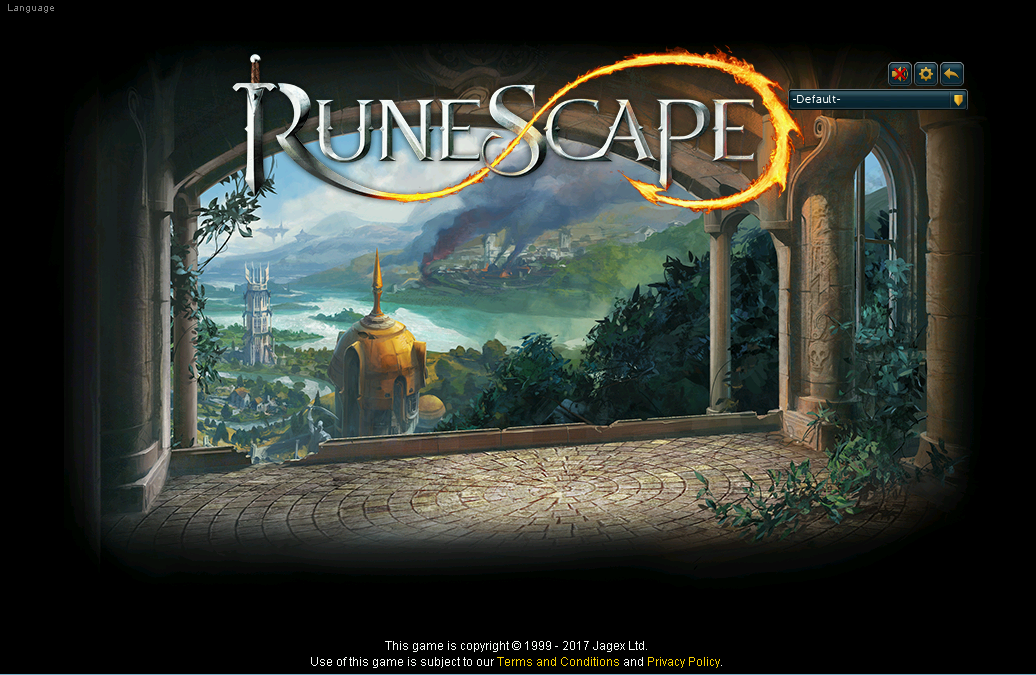
Does anyone know how to fix this? lol
We use essential cookies to make this site work, and optional cookies to enhance your experience.


